Four modes
Each mode only gets the tools it needs; the Coach reads your journal.
- Assistant (read-only)
- Indicator Builder
- Backtest Analyst
- Coach

Product
ProductCharts, drawings, layouts and alerts in one workspace.BacktestingBar-by-bar tests that can't see the future.Deepwick ScriptRuns a subset of Pine Script.MarketsWhat you can chart today, and what comes next.Get started freeFree account with an email link. No password.Community
Community scriptsIndicators and strategies other traders published.ExploreIdeas, scripts and backtests people share.Find tradersProfiles of the traders behind the scripts.Resources
BlogGuides on charting and backtesting.Script referenceEvery function the script engine supports.FAQPlans, data, privacy and how things work.DevelopersREST API, webhooks and tokens.SupportAsk a question or report a problem.StatusLive health of the data feeds and the app.Browser-based charts, backtests and alerts for Pine-style strategies. Paste from TradingView, test with realistic costs, and see every trade on the chart.
Free plan. No card required. Already have an account? Sign in
Deepwick AI works on your chart with your own API key.
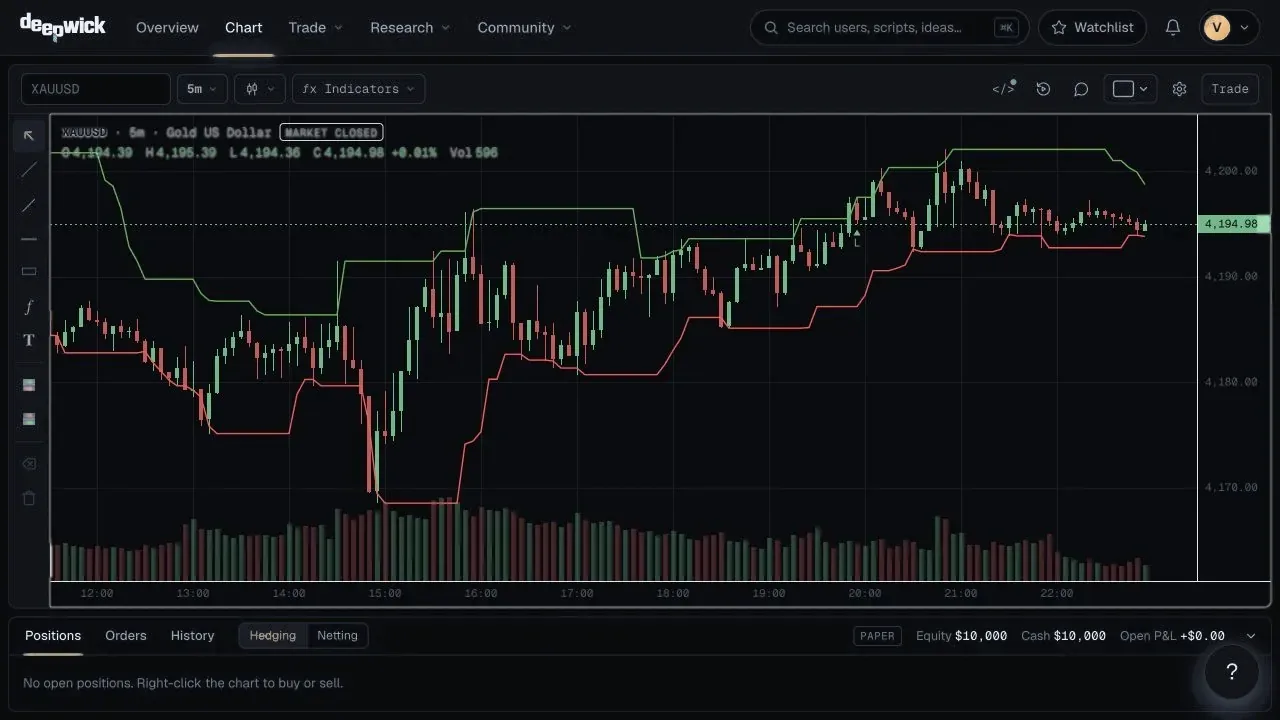
Deepwick is a browser-based trading research platform for charting, strategy scripting in a subset of Pine Script, backtesting with next-bar fills and costs, bar replay, alerts, an AI chart assistant and webhook trading to destinations you control.
You chart a market, write or paste a strategy script, backtest it with realistic fills and costs, then get alerted when it matters. Everything runs on Deepwick's own engine, so every number can be traced back to the bar that produced it.
Product tour
Seven tools that share one engine and one data layer, so what you see on the chart is what the backtest, the alerts and the journal use.
Deepwick AI
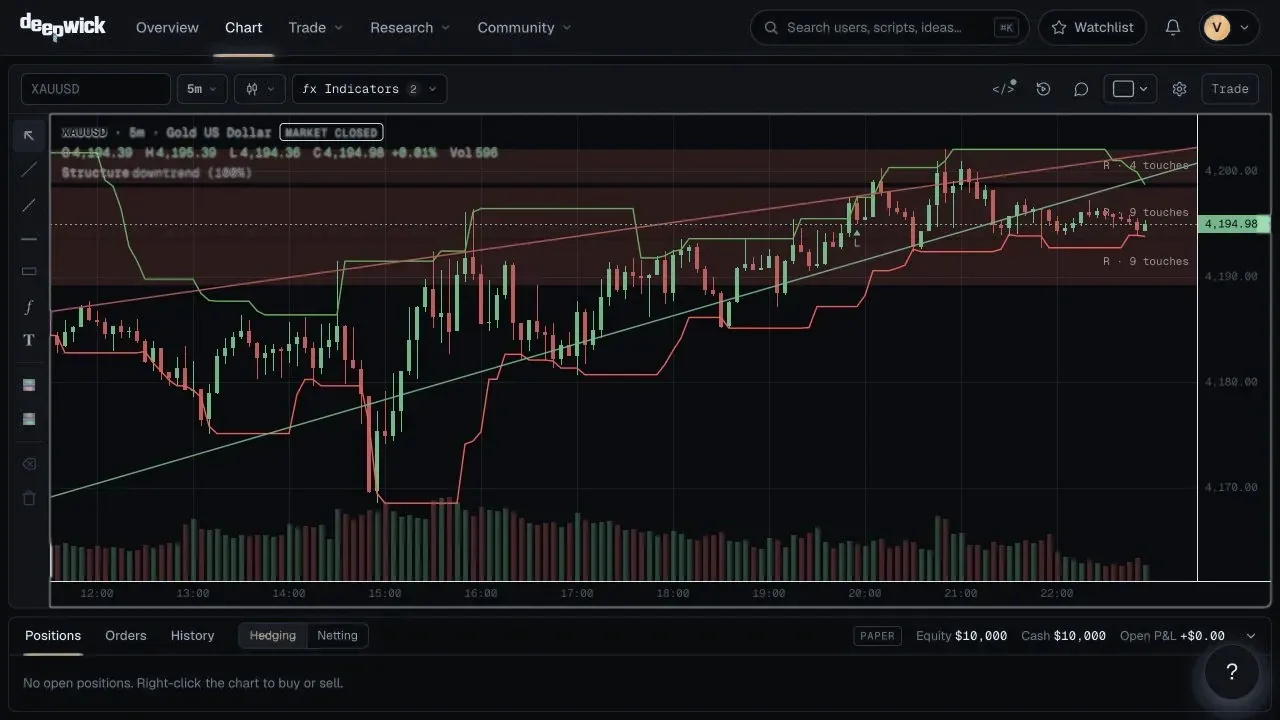
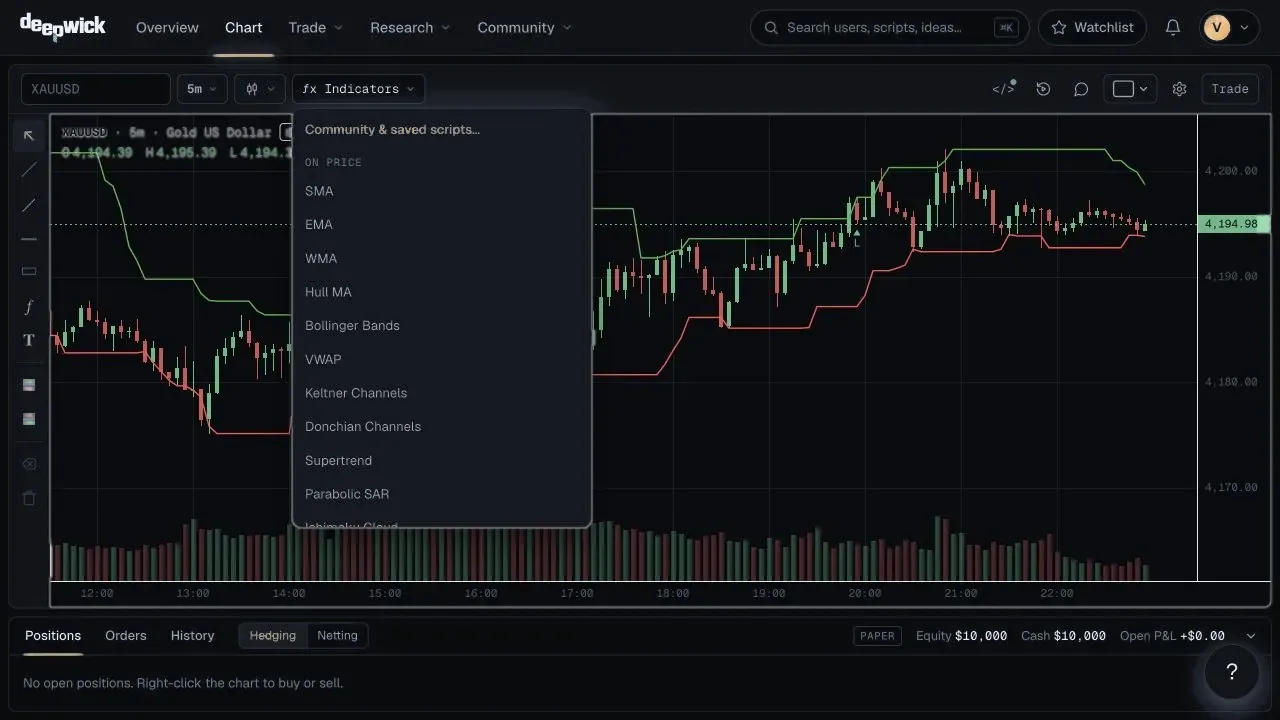
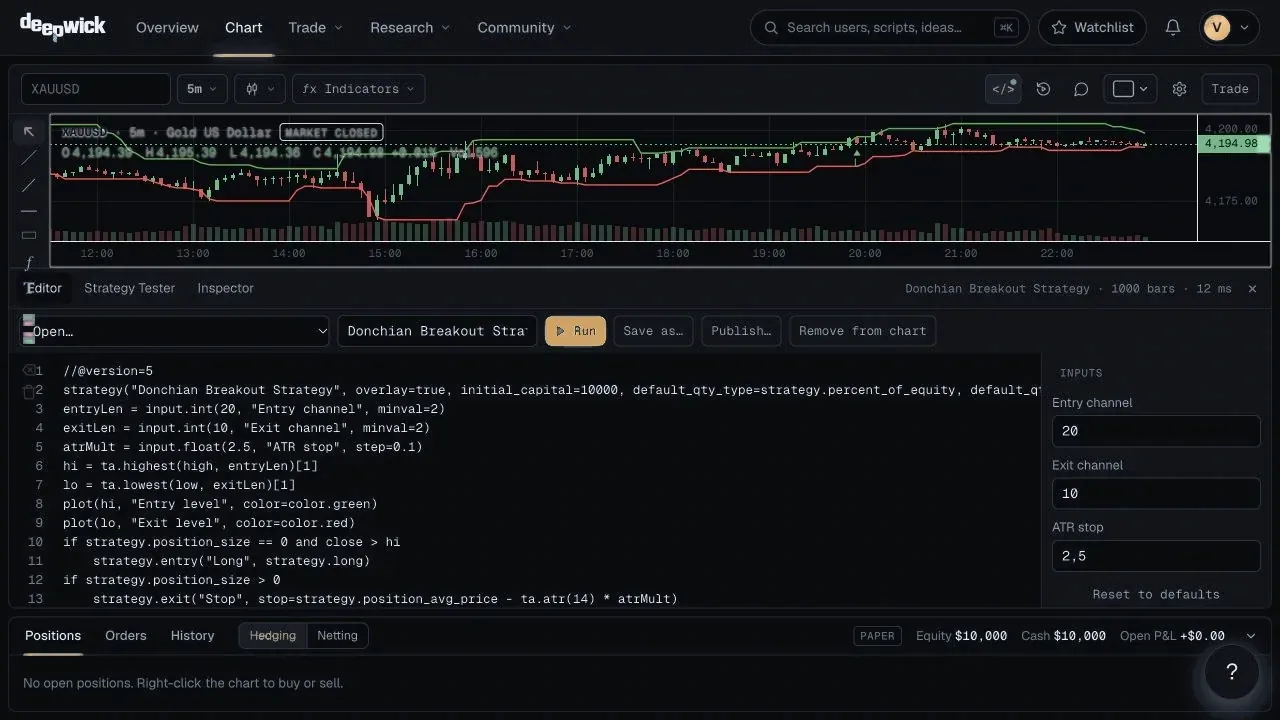
Ask in plain English or Spanish. Deepwick AI reads the chart you are on, opens charts and side-by-side layouts, zooms, adds indicators, draws levels, writes and checks Deepwick Script and runs backtests. Then it shows you what it actually did.
Each mode only gets the tools it needs; the Coach reads your journal.
Bring your own API key from Anthropic (Claude), OpenAI, MiniMax, OpenRouter or Groq. It is stored encrypted, and usage is billed by your provider, not by Deepwick.
The most capable models, such as Claude Opus and GPT-4.1, are available on the Elite plan. Everything else runs on your key on any plan.
AI can be wrong. It is research help, not investment advice: check every script and every result before you rely on it.
Add your key in Settings → AI.
01
Screeners scan markets against your rules, so you can focus your analysis on the matches.
02
Explore different inputs with the optimizer and inspect how they change the results.
03
Walk-forward analysis separates training and test windows to help you assess robustness.
Why Deepwick
Chart, indicators, script language and broker emulator are ours. No embedded third-party widget, no hidden data.
Most ta.*, math.*, str.*, input.*, plot* and strategy.* calls run as-is. Unsupported lines are flagged.
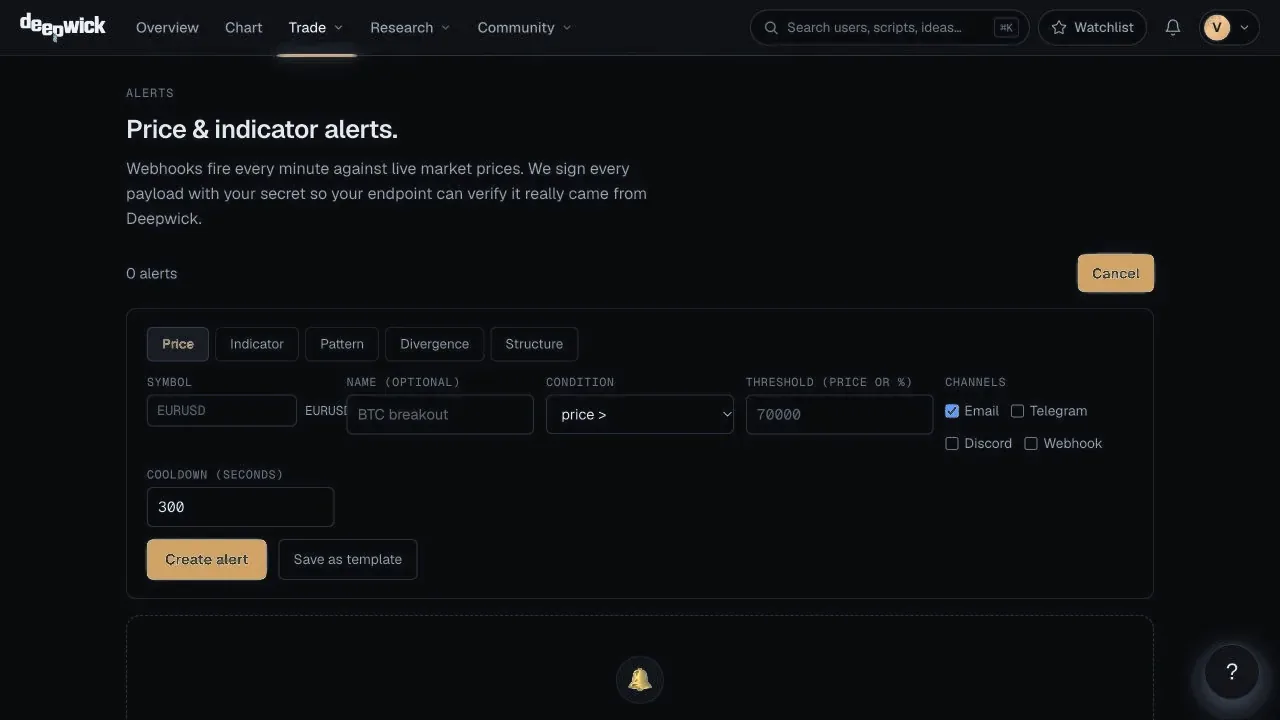
Email, Telegram, Discord and signed webhooks.
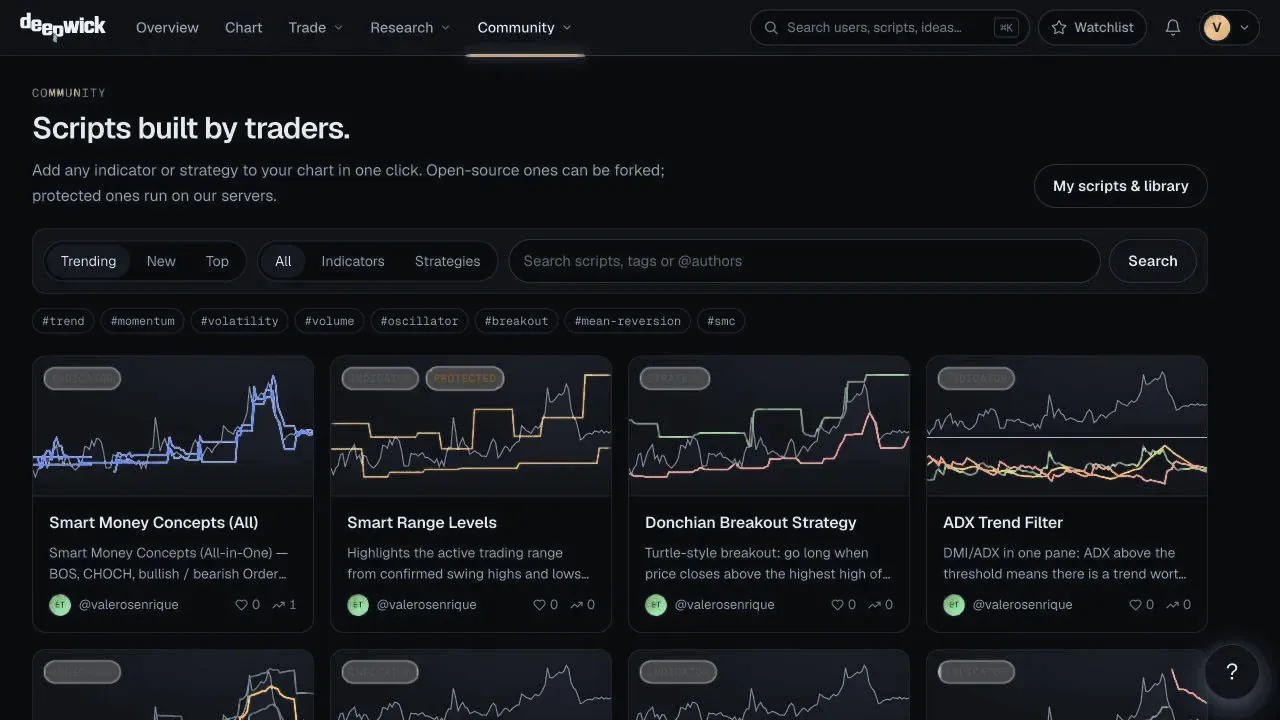
Publish indicators open or protected, add anyone's to your chart in one click, and talk markets in live chat rooms.
No ad trackers. Magic-link sign-in, no passwords to leak.
Deepwick Script
Deepwick Script supports a subset of Pine Script (over 300 function and variable names). Most ta.*, math.*, str.*, input.*, plot* and strategy.* functions run as-is — unsupported lines are flagged with line and column.
//@version=6
strategy("Bollinger bounce", overlay = true)
[mid, up, lo] = ta.bb(close, 20, 2)
if ta.crossover(close, lo)
    strategy.entry("L", strategy.long)
if ta.crossover(close, mid)
    strategy.close("L")
plot(up)
plot(lo)
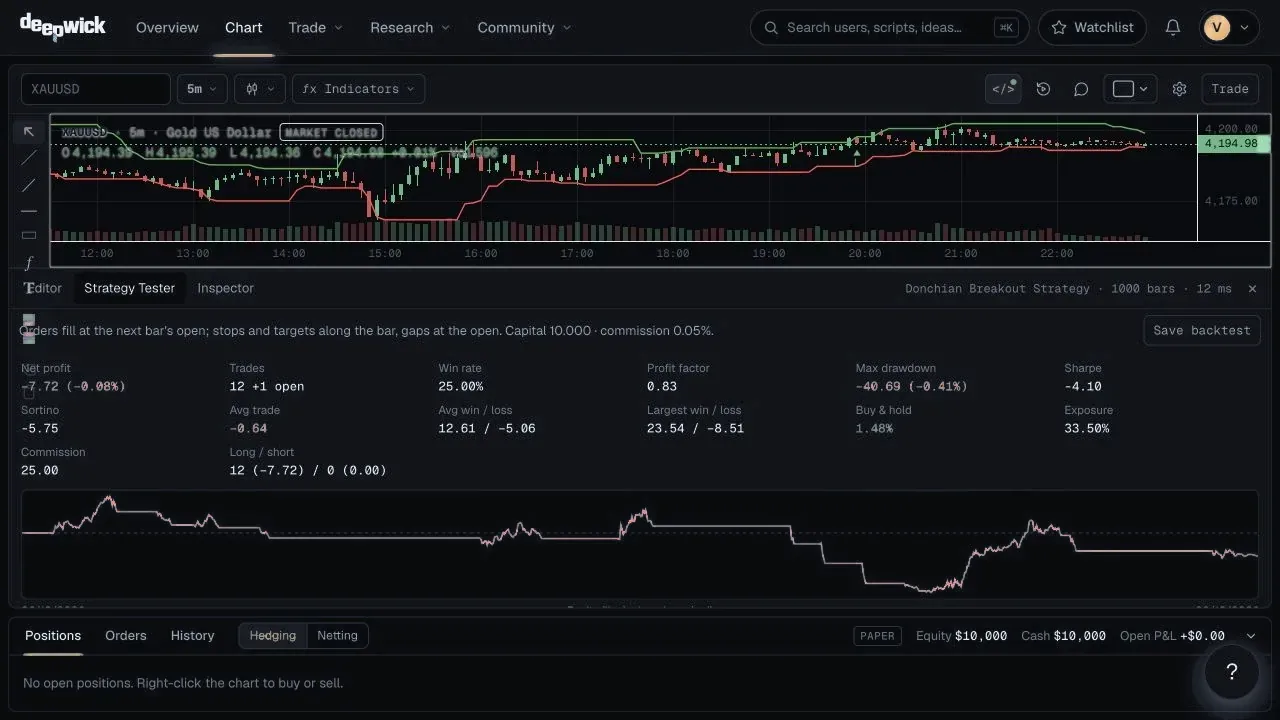
Backtesting
A backtest is only useful if it could have happened. These four rules are built into the broker emulator and cannot be switched off.
A signal on a closed bar fills at the next bar's open, never at a price you could not trade.
Stops and targets are checked from the open to the nearer extreme, then the other, then the close.
If price gaps through your stop, you get the open, as you would in the market.
Saved backtests pay half the live spread on every market and stop fill; slippage and commission are charged on every entry and exit whenever your strategy() sets them.
| Deepwick | Typical | |
|---|---|---|
| Order fills | Next bar's open | Same bar's close |
| Stops inside a bar | Path: open → nearer extreme → other → close | Checked against close only |
| Gaps through a stop | Filled at the open | Filled at the stop price |
| Spread, slippage, commission | Live spread on saved backtests, plus the slippage and commission you set | Often optional or ignored |
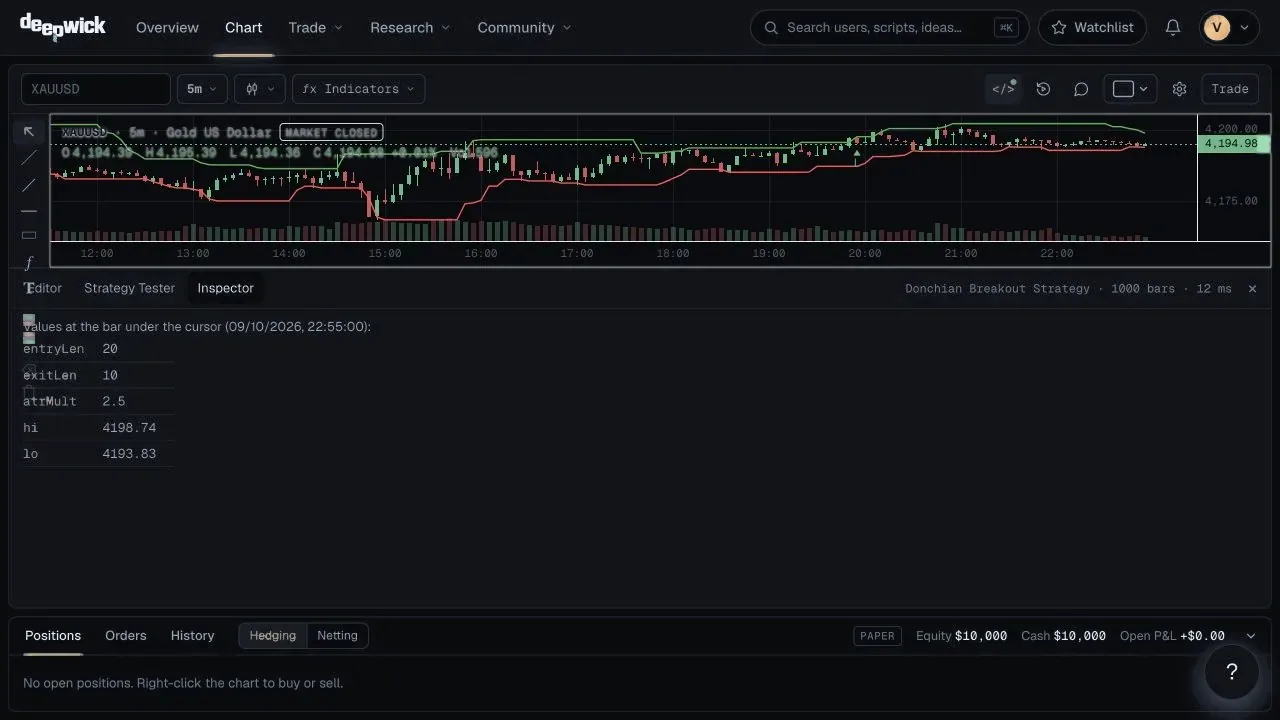
| Script variables per bar | Inspector shows them all | Not visible |
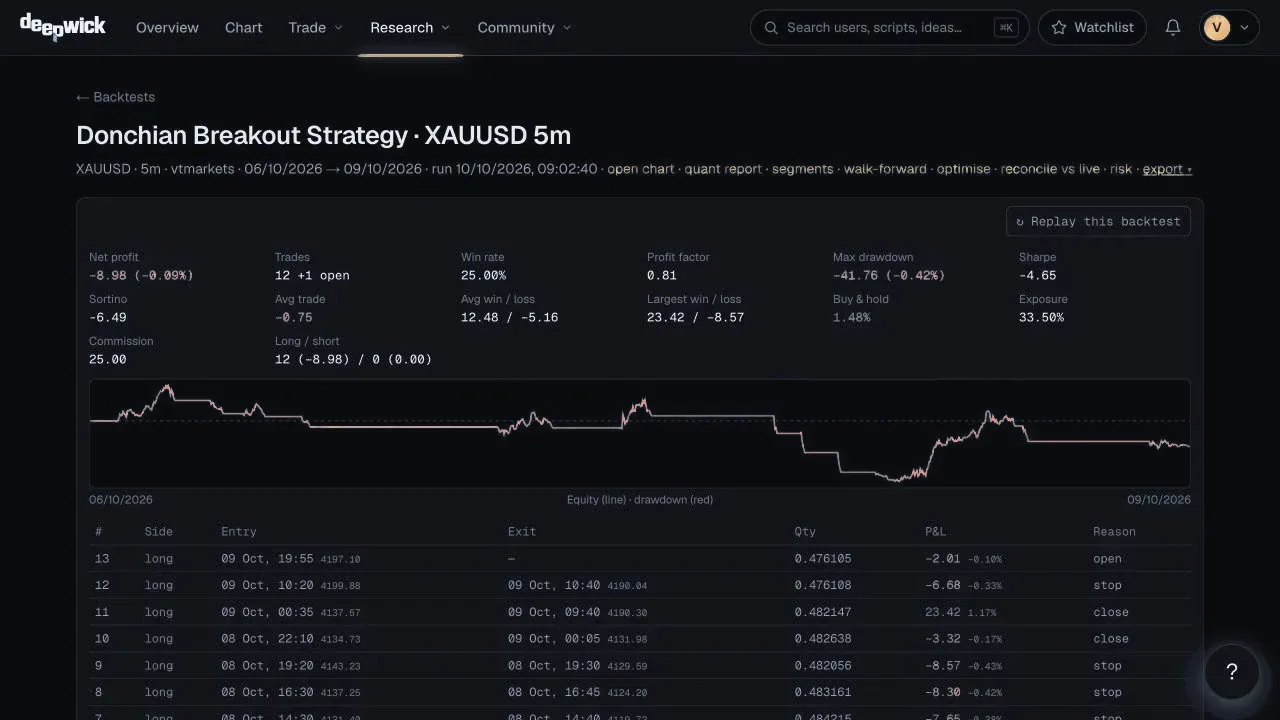
Reports include net profit, profit factor, win rate, max drawdown, Sharpe and Sortino, buy & hold, exposure and the full trade list.
Webhook trading
Included in Pro and EliteSend orders from the chart, or let your strategies and script alerts send them, to a destination you control: your own endpoint, PineConnector or 3Commas. Deepwick signs and logs every message; your broker or platform executes.
Market, limit and stop orders; open, close, reverse and close all; SL and TP you drag on the chart, and risk-based sizing. With 3Commas, reverse, close all, stop orders and SL/TP aren't available.
Strategy entries and exits and alertcondition() alerts can send orders on closed bars, only after you switch it on and confirm.
HMAC signature, idempotent order_id, max orders per day and max quantity, a kill switch and a full send history.
Our own pull-mode Expert Advisor: no domain, no open ports. It is not available to everyone yet.
Deepwick does not execute trades, hold funds or give investment advice. Whether an order is delivered and filled depends on your destination and your broker. Trading carries a risk of loss.
Markets
Binance spot pairs quoted in USDT, USDC and FDUSD, plus USD-M perpetuals (such as BTCUSDT.P), from 1-minute to weekly bars.
Forex majors, crosses and exotics, index CFDs and large US stocks from a regulated broker's feed, on session-aware bars.
See every market, delay and history →Gold, silver, platinum and palladium, WTI and Brent crude and natural gas (CFDs), on session-aware bars. Real spreads, no caps.
Futures and more stocks when we have feeds we would trust with our own money.
Pricing
Start on the Free plan. Upgrade when you need more.
Learn the platform and test ideas.
US$0/month
For traders who test every idea.
US$5/month
For traders who run many alerts at once.
US$49/month
No card required for the Free plan. The first 10 Pro subscribers keep their price for as long as they stay subscribed. Prices in USD, tax included where it applies.
| Feature | Free | Pro | Elite |
|---|---|---|---|
| Charts, indicators and drawing tools | ✓ | ✓ | ✓ |
| Analysis layers (S/R, trendlines, patterns, divergences) | ✓ | ✓ | ✓ |
| Saved scripts | 3 | Unlimited | Unlimited |
| Active alerts | 1 | 20 | Unlimited |
| Backtest history | 1 year | Full history | Full history |
| Max bars per backtest | 5,000 | 5,000 | 5,000 |
| Saved backtests | 5 | 100 | Unlimited |
| Report export | — | ✓ | ✓ |
| Alert channels | Email, Telegram, Discord, webhook | Email, Telegram, Discord, webhook | |
| Signed webhooks | — | ✓ | ✓ |
| Webhook retries | — | ✓ | ✓ |
| Custom timeframes | — | ✓ | ✓ |
| Multi-timeframe replay | — | ✓ | ✓ |
| Replay comparison | — | ✓ | ✓ |
| API tokens | 1 | 10 | Unlimited |
| Two-factor authentication | ✓ | ✓ | ✓ |
| Support chatbot | ✓ | ✓ | ✓ |
| Journal entries | 20 | Unlimited | Unlimited |
| Support |
Roadmap
Direction, not promises. Users vote on the order.
Still have a question? Ask in the community chat
Get started freeYes. Deepwick covers charting, a language that runs a subset of Pine Script, backtesting and alerts, on its own chart engine and data layer. It focuses on transparent, reproducible research, with a community where traders publish scripts and talk markets in live chat. Read the full Deepwick vs TradingView comparison →
Yes. Write a script on the chart, hit Publish and choose open source (anyone can read and fork it) or protected (people can use it, backtest it and alert on it, but the code stays private and runs on our servers). Every script gets a public page with a live preview, versions, likes and comments.
Yes. There are live rooms for general talk, each market, every symbol (open it from the chart) and every published script. $BTCUSDT links to the chart and @name mentions a trader. Moderators keep it clean: no external links, no spam.
Yes. Add alertcondition() to a Deepwick Script, press "Create alert" on the chart and Deepwick checks it on every closed bar, then notifies you by email, Telegram, Discord or webhook.
Deepwick Script runs a subset of Pine Script. Most ta.*, math.*, str.*, input.*, plot* and strategy.* functions run as-is — unsupported lines are flagged with line and column. The full list is at deepwick.com/docs/script.
Sign up with your email and we'll send you a magic sign-in link. No invitation needed — Deepwick is open to all traders.
No. Crypto prices come straight from Binance's public market-data API, and CFD, metals and energy prices from our own data bridge to a regulated broker, which pushes quotes and 1-minute bars every few seconds. With the chart open, the last price refreshes about every 3 seconds. Price and indicator alerts are checked once a minute against the same sources.
Next-bar fills, a real path inside each bar, gaps filled at the open, half the live spread on every market and stop fill in saved backtests, plus the slippage and commission you set.
Orders fill at the next bar's open, stops and targets follow the path inside the bar, gaps fill at the open, and saved backtests pay half the live spread on every market and stop fill, plus the slippage and commission your strategy() sets.
Crypto: over 790 Binance spot pairs quoted in USDT, USDC and FDUSD, covering over 510 coins. USD-M perpetuals are also covered. CFDs: the forex majors, gold (XAUUSD), WTI oil, index CFDs (S&P 500, Nasdaq 100, Dow Jones, DAX, FTSE 100, Nikkei 225…) and large US stocks such as Apple, NVIDIA and Tesla, from a regulated broker's feed, with several years of history for gold, silver, EUR/USD, GBP/USD, USD/JPY, AUD/USD, USD/CHF, EUR/GBP and GBP/JPY, and history from September 2026 for the rest. Futures aren't covered yet.
Yes. Deepwick AI works on your chart: it opens charts and layouts, adds indicators, draws levels, writes and checks Deepwick Script, runs backtests and creates alerts. It runs on your own API key (Anthropic, OpenAI, MiniMax, OpenRouter or Groq), so usage is billed by your provider. Premium models such as Claude Opus need the Elite plan. AI can be wrong, so check its work.
Deepwick can forward orders you define, from the chart or from your strategies and script alerts, to a webhook you control: your own endpoint, PineConnector or 3Commas. It's included in Pro and Elite, automatic sends are off by default, and every message is signed and logged. Execution happens at your destination and your broker. Our own MetaTrader 5 EA is coming soon. How webhook trading works →
No. Deepwick is a research and analysis tool. It does not give investment advice, does not hold funds and does not execute trades: with webhook trading it only forwards the instruction you set up to the destination you choose.
There is a Free plan with no time limit and no card required. Pro is $5 a month, or $48 a year if you pay yearly (20% less), and Elite is $49 a month. Current prices are on the pricing page.
The first 10 people to subscribe to Pro keep the price they signed up at for as long as their subscription stays active. A founder spot is held by each Pro subscription that is active or trialing; when one ends, its spot opens up again. Elite isn't part of the offer.
Yes. Cancel from Settings → Billing; you keep Pro until the end of the period you paid for.
Prices are shown in USD and include any VAT or sales tax that applies; your invoice shows the breakdown.
Free plan, no card required. Sign up with your email to get started.
Built by a solo trader-developer. Shipped weekly.


